Lastbook: How to Build an Offline Survival Library Before the Grid Goes Down
Lastbook puts survival manuals, videos, encyclopedias, an offline state map, and optional AI on your computer. What it includes, what you need, and how to set it up.
By Prep & Survive TeamPublished 5 min read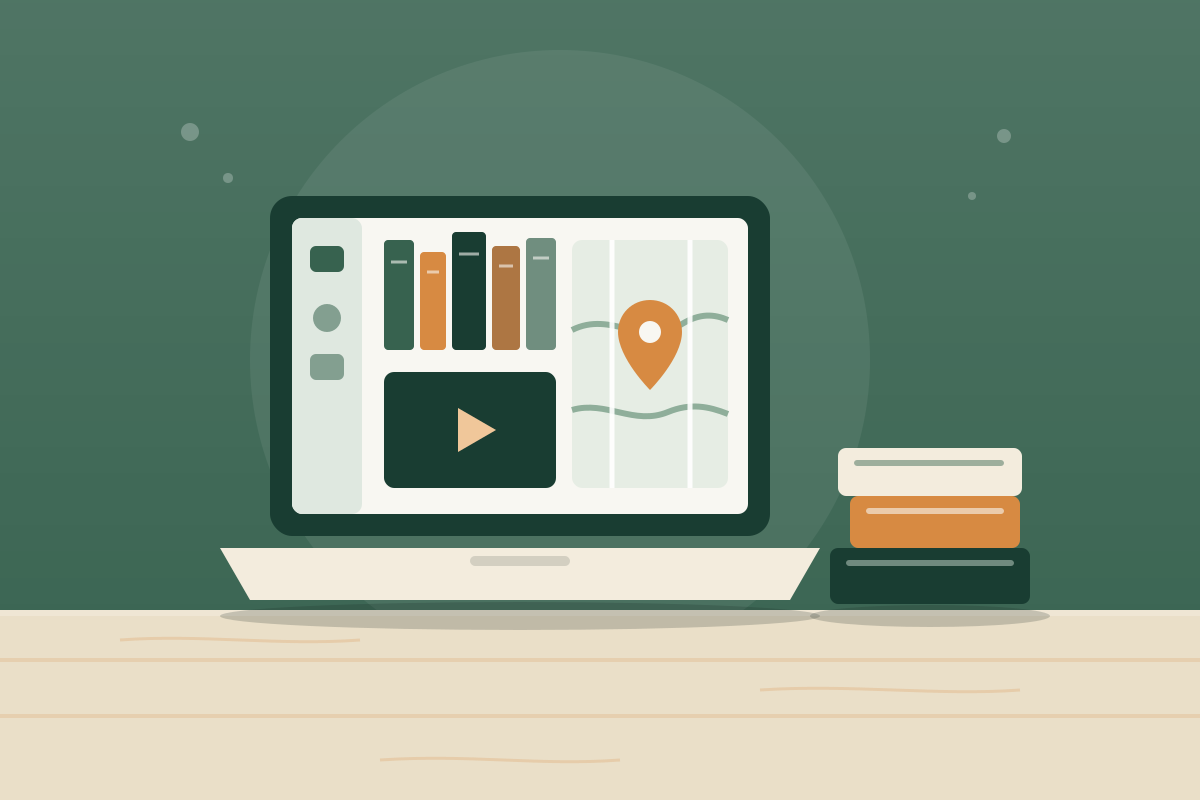
On this page
Key takeaways
- Lastbook is a free, open-source app for Mac, Windows, and Linux computers that stores survival manuals, videos, offline encyclopedias, and a detailed offline map of your state.
- After setup, reading, videos, maps, and the optional local AI all work with no internet connection.
- Library sizes range from Small (7.7 GB) to Medium (67.5 GB) to All (about 388 GB); the optional local AI adds about 17 GB and needs a computer with plenty of memory.
- It does not run on phones or tablets, so pair it with a power source that can keep a laptop running during an outage.
- Lastbook's medical content comes from published guides such as Hesperian, the World Health Organization, and the Red Cross, but the app itself is not clinically reviewed.
In a long outage, the internet is the first thing most of us lose and the thing we'd most like back. You can't search how to fix a pump, look up a wound care step, or check a map when the network is down. An offline library solves that by putting the reference material on your own computer before you need it.
Lastbook is a free, open-source app that does exactly that. It bundles survival and repair manuals, how-to videos, offline encyclopedias, a detailed map of your state, and an optional AI assistant that answers questions from the library and links to its sources. Once it's set up, everything works without internet.
2,324
videos in the library, according to Lastbook
258,000+
searchable places on the offline map, including water, medical, fire stations, and shelters
7.7 GB
size of the Small library, the easiest place to start
What's in Lastbook
Lastbook organizes its library around the problems people actually face when systems fail. Its topics include first aid and health, safe drinking water, food and preservation, critical repairs, power and energy, and emergency preparedness.
- Short guides for urgent needs. Curated guides that point to the exact pages in the library, with page numbers, so you aren't scrolling through a 400-page manual in a crisis.
- The full library. Manuals and PDFs, videos, and offline encyclopedias, with keyword search across all of it.
- An offline map. A world and US base map plus a detailed map of the state you choose, with local streets, buildings, terrain, and water, help, and resource points. You can search for addresses in that state offline.
- Chat, with optional local AI. Ask questions in plain words and get answers that cite library pages. The AI runs on your own computer. Without it, Chat still finds the relevant pages.
What you need
| Requirement | Details |
|---|---|
| Mac | Apple Silicon (M1 or newer) and macOS 14 Sonoma or newer. Intel Macs aren't supported. |
| Windows | Windows 10 or 11, 64-bit |
| Linux | Ubuntu 24.04 or 26.04 on Intel/AMD 64-bit |
| Phones and tablets | Not supported (an iPad version exists only as source code for developers) |
| Storage | Small 7.7 GB, Medium 67.5 GB, or All about 388 GB, plus your state map |
| Local AI (optional) | About 17 GB of storage and roughly 18 GB of memory; setup only offers it if your computer can run it |
Medium already includes California's detailed map, and All includes the whole US. If you're not sure which to pick, start with Small. You can choose a larger library later while you still have internet.
How to set it up
Lastbook's own advice is the most important step: set it up now, while you have internet and power.
- Download the app from lastbook.org on your computer. The Mac download is about 28 MB and the Windows installer about 105 MB.
- Run setup. Choose a library size (Small, Medium, or All), select your state map, and decide whether to add the local AI if your computer qualifies.
- Let the downloads finish. Larger libraries can take hours on a typical home connection, so start overnight.
- Test it offline. Turn off Wi-Fi, open Lastbook, and try a search, a video, the map, and Chat. Look up something specific to your home, such as how to shut off your water or purify water.
- Keep a backup. Lastbook can set up from a library folder or a pack zip already on your computer instead of downloading. Keeping a copy on an external drive lets you reinstall without internet.
Keeping it powered when the grid is down
A laptop is far more useful than a desktop in an outage, because it has its own battery and draws relatively little power. Many laptops use somewhere around 30 to 65 watts while in use, so even a modest portable power station can recharge one several times.
- Charge the laptop fully whenever severe weather is forecast.
- Use a portable power station or solar charger to top it up. Our power station vs. generator guide explains how to size one.
- Lower screen brightness and close other apps to stretch battery life. Running the local AI uses much more power than reading or browsing the map.
- Never run a generator indoors to charge devices. See the power outage preparedness checklist for carbon monoxide safety.
How it compares with other offline options
No single tool covers everything. Many prepared households use a combination.
| Option | Best for | Limits |
|---|---|---|
| Lastbook (computer) | A curated survival library, videos, and an offline map of your state, with sourced answers | Needs a computer and enough storage; doesn't run on phones |
| PocketPal AI (phone) | Quick questions and planning help from a pocket device | Small models can be confidently wrong; no reference library |
| Kiwix (phone or computer) | Offline Wikipedia and other reference collections | Encyclopedia articles, not step-by-step survival guides |
| Printed books and plans | Works with no power at all and survives a dead device | Takes space and has to be bought or printed ahead of time |
Offline library checklist
0 of 7
Next steps
Install Lastbook on the computer you'd grab in an emergency, start the download tonight, and test it offline this weekend. Then make sure the essentials also exist on paper, because every device can fail.
Frequently asked questions
Is Lastbook free?
Yes. Lastbook is free to download and its code is open source under the MIT license. The manuals, videos, and other library content keep their own licenses, which are listed in each download pack.
Does Lastbook work on a phone or iPad?
Not as a ready-made app. Lastbook runs on Mac (Apple Silicon, macOS 14 or newer), Windows 10 or 11 (64-bit), and Ubuntu Linux. An iPad version exists only as source code for developers. For your phone, consider an offline AI app like PocketPal AI and an offline reader like Kiwix.
How much storage do I need?
Choose Small (7.7 GB), Medium (67.5 GB), or All (about 388 GB). The optional local AI adds about 17 GB, and your state map and address index add more, with sizes shown during setup.
Does Lastbook need the internet?
Only to download the app, the library, and the optional AI. Once setup finishes, everything works offline. It only goes online again if you start a download or press Check for updates.
Can my computer run the local AI?
The optional AI is a large model (Gemma 4 26B A4B, about 17 GB) that needs roughly 18 GB of memory plus some to spare. Setup checks your computer and only offers the AI if it fits. Without it, Chat still finds the right pages in the library.
Is the medical information reliable?
It comes from published sources such as Hesperian, the World Health Organization, and the Red Cross, but Lastbook says the app itself is not clinically reviewed and doesn't replace trained care. Call 911 if you can.
Sources
- Lastbook — lastbook.org
- Lastbook (README and documentation) — Lastbook on GitHub
- Kiwix — Kiwix
The Prep & Survive team researches, writes, and fact-checks every guide against current guidance from FEMA, Ready.gov, the CDC, the American Red Cross, and USDA food safety experts. We update articles when official recommendations change.
How we research and fact-checkGet one practical preparedness step every other week
Join The Ready Brief for checklists, seasonal reminders, and honest gear advice.